
NATIKA Backup Cameras Catalog
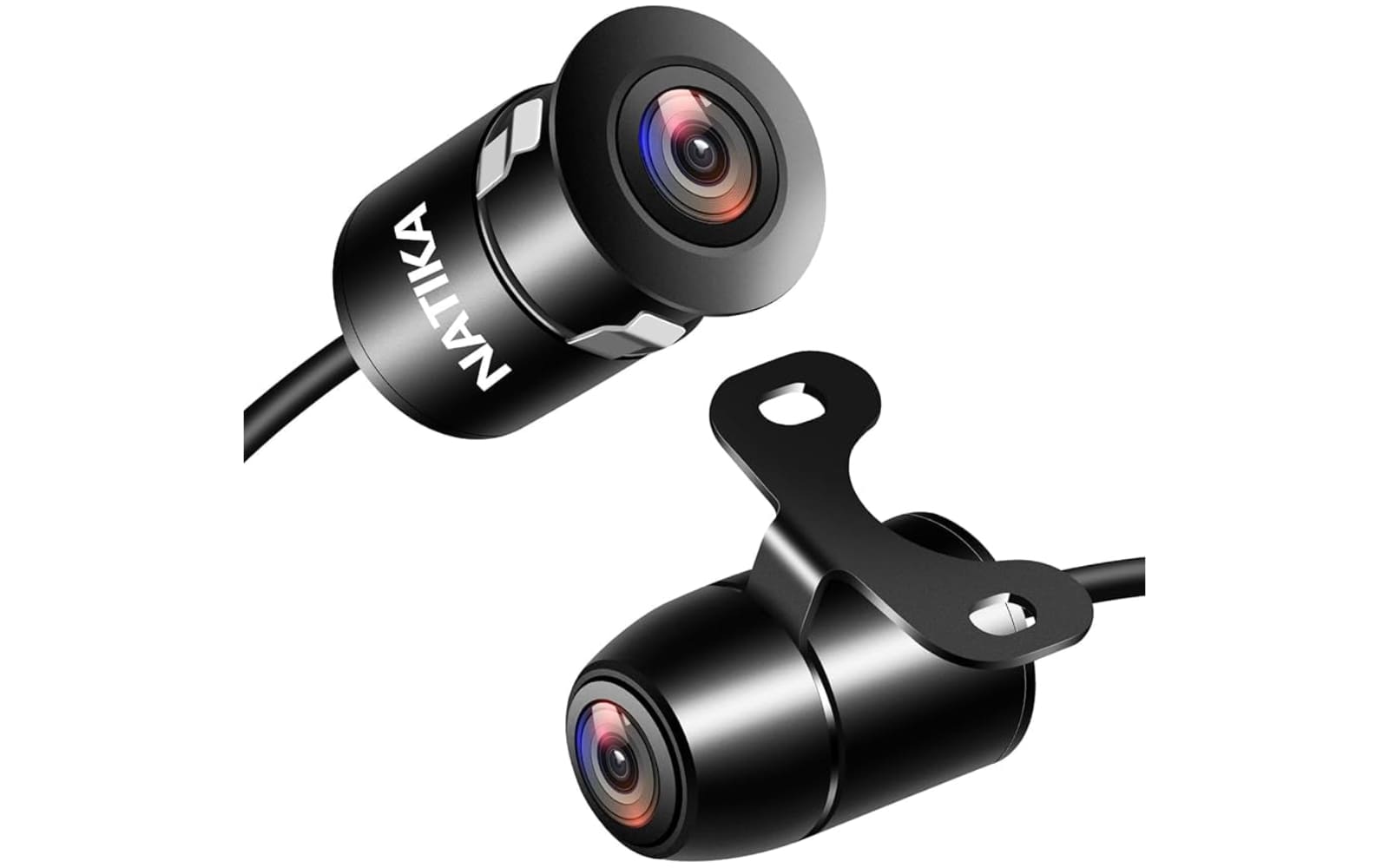
NATIKA redefines aftermarket safety with the high-performance WD-011 series, a specialized line of universal cameras designed to blend seamlessly into any vehicle’s aesthetic. These ultra-compact, metal-bodied units deliver professional OEM-style integration while offering the rugged durability of an IP69K waterproof rating. Precision engineering meets versatility through a unique three-loop wiring system, allowing drivers to instantly toggle between front and rear views, adjust parking guidelines, or flip the mounting orientation. Whether you choose the classic black or sleek chrome finish, NATIKA ensures crystal-clear visibility with an expansive 170° wide-angle lens and superior low-light performance powered by an F1.8 large aperture. Driving confidence becomes standard with a camera built to withstand the elements while providing high-definition analog clarity for cars, trucks, and RVs alike.
Top NATIKA Backup Cameras
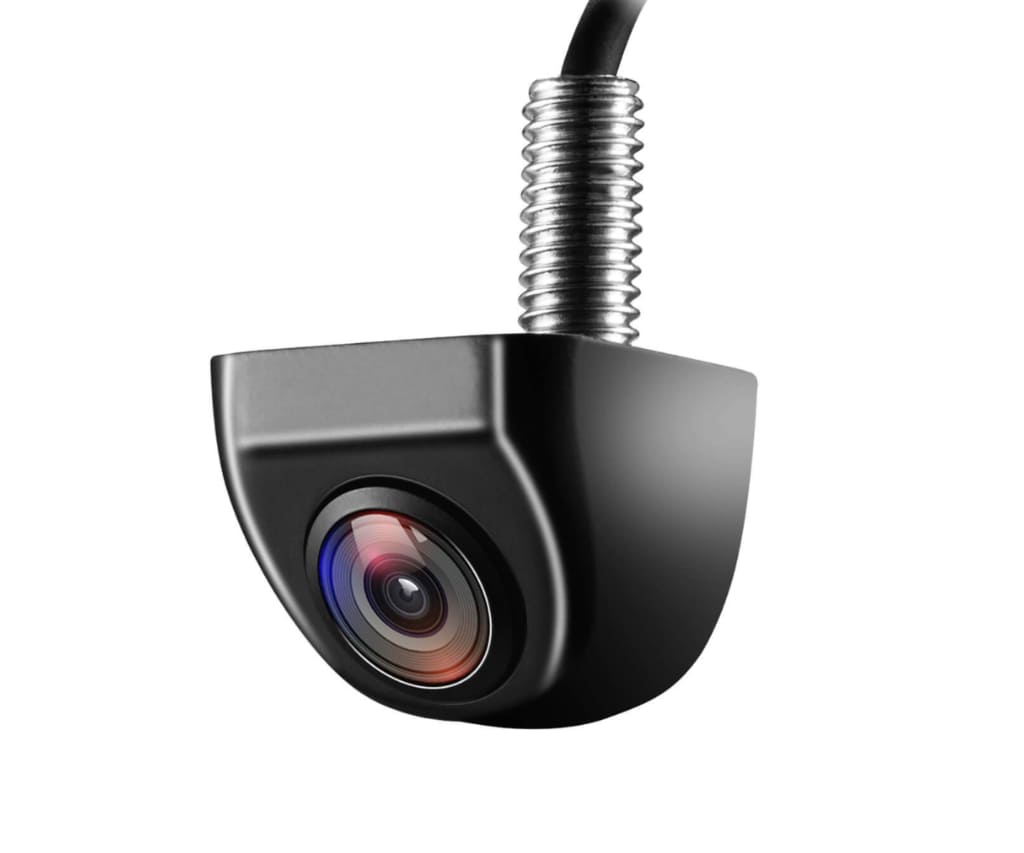
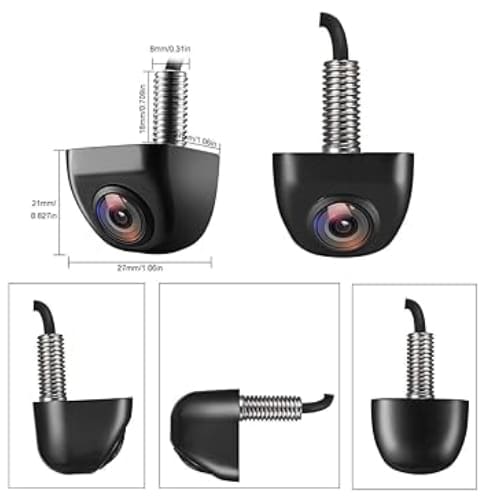
NATIKA WD-011 (Standard Black)
This flagship model is the brand’s most popular choice, offering a 170° wide-angle view and IP69K waterproofing in a discreet, metal OEM-style housing.
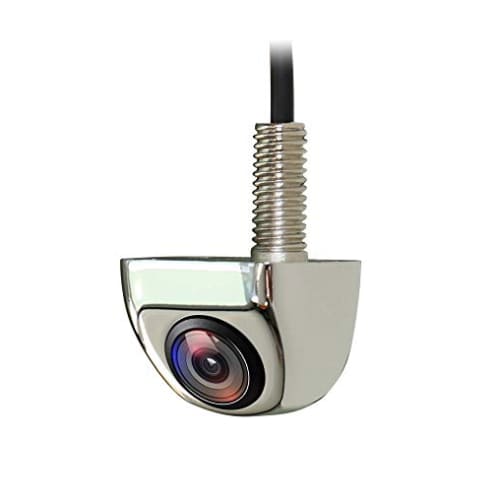
NATIKA WD-011 Chrome
Designed for vehicles with polished accents, this variant provides the same high-definition night vision and triple-loop control system as the standard model but with a premium chrome finish.
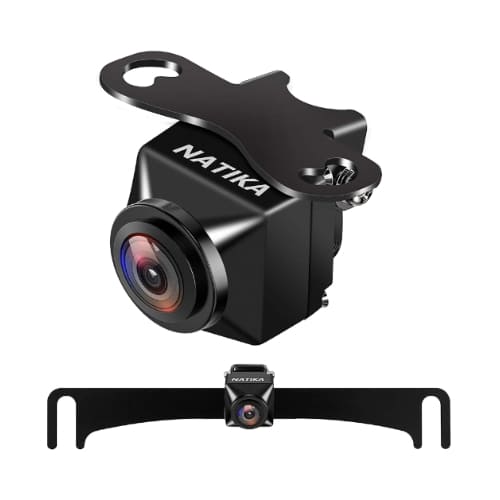
NATIKA WD-779 License Plate Camera
This model is a top seller for users seeking a non-invasive installation, featuring a specialized mounting bracket that integrates high-resolution parking assistance directly onto the vehicle’s license plate.
NATIKA provides premium automotive vision solutions that ensure every maneuver is executed with absolute precision and safety.
Product Categories
Backup and Reverse Cameras
Experience unparalleled rear-view clarity with our OEM-style metal cameras that offer ultra-wide viewing angles up to 170 degrees. These rugged units are designed for flush or surface mounting to provide a factory-installed look while eliminating dangerous blind spots.
Front and Side View Cameras
Enhance your situational awareness with versatile cameras featuring multifunctional switching loops that allow for seamless front or side-view orientation. These high-definition sensors provide a clear perspective of your vehicle’s perimeter, making tight parking and off-road navigation effortless.
Hitch and License Plate Mount Cameras
Simplify trailer connections and daily commutes with specialized mounting systems that support NTSC, CVBS, and AHD video formats. These cameras are engineered for quick installation on license plates or near hitches, providing the specific angles needed for heavy-duty towing and passenger vehicle safety.
Customer Experiences
Marcus Thorne After struggling with a cheap plastic camera that fogged up after the first rain, I switched to the NATIKA WD-011 for my Ford F-150. The difference in build quality is night and day; the solid metal housing feels indestructible, and the IP69K rating has held up perfectly through several high-pressure car washes. I especially appreciated the wire-loop system—I was able to cut the green loop to remove the parking lines since my head unit already provided them, and the 170-degree field of view gives me a complete look at the curb when I’m backing into tight city spots.
Elena Rodriguez I installed a pair of these as side-view cameras on my transit van to help with lane changes, and the night vision is truly impressive. Even in near-total darkness, the F1.8 aperture pulls in enough light to see pedestrians and cyclists clearly without any annoying glare from streetlights. The installation was straightforward thanks to the included hole saw and the tiny connectors that made routing the wires through the door bellows much easier than the bulky RCA cables I’ve used in the past.
David Miller As someone who frequently hitches up a boat trailer alone, the NATIKA hitch camera has been a total game-changer for my SUV. I configured it for a vertical “downward” view by cutting the purple loop, which allows me to line up the ball and coupler perfectly on the first try every time. The HD resolution is sharp enough to see even small details on the ground, and the analog RCA compatibility meant it plugged right into my aftermarket Boss head unit without needing expensive adapters.
NATIKA FAQ
What do the different colored wire loops do on the camera?
The NATIKA WD-011 series features three control loops that allow you to customize the camera’s behavior without needing external software. Keeping the white loop intact maintains the default rear-view, while cutting it switches the image to a front-view orientation. The green loop controls the parking guidelines; keep it for lines on, or cut it to remove them. Finally, the purple loop allows you to change the mounting orientation—keep it for “hanging” mounts (like on a sedan’s license plate trim) or cut it for “sitting” mounts (common on pickup truck tailgates or RVs).
Is this camera compatible with my factory-installed radio?
While the camera uses a standard RCA connector compatible with almost all aftermarket head units (such as Sony, Pioneer, Kenwood, and Alpine), it is not a direct “plug-and-play” for factory radios. To use this camera with an original screen that came with your vehicle, you will typically need to purchase a separate vehicle-specific harness and, in some cases, a programmer to bypass the factory software locks.
How does the IP69K rating differ from standard waterproof cameras?
Most standard backup cameras are rated IP67 or IP68, which protects against temporary immersion. NATIKA’s IP69K rating is the highest protection level available, meaning the unit is fully sealed with a glue-filling process and can withstand high-pressure, high-temperature water jets. This makes it exceptionally resistant to internal fogging, misting, and damage from commercial car washes or extreme weather.
Can I use this camera as a permanent rear-view monitor while driving?
Yes, the camera is designed to handle a DC 12–24V power supply and can be used for continuous monitoring. To achieve this, you should connect the camera’s power wire to a constant accessory (ACC) power source or a separate switch rather than the reverse light circuit, which only provides power when the vehicle is in gear.
What should I do if the image is blurry or has no signal after installation?
First, ensure the small 4-pin connector is pushed tightly together and that the arrows on the connectors are perfectly aligned. If the image is blurry, check that the protective film has been removed from the 6-element glass lens and clean it with a microfiber cloth. For “No Signal” issues on Android head units, you may need to enter the camera settings on your screen and manually select the correct signal format (NTSC) or adjust the resolution settings to match the camera’s output.
Does the camera perform well in total darkness?
The camera utilizes a high-sensitivity 1/2.7-inch CMOS sensor and a large F1.8 aperture, which allows it to perform excellently in low-light conditions (down to 0.01 Lux). While it does not have infrared LEDs (the “red glow” lights), it uses “Starlight” technology to leverage your vehicle’s reverse lights to provide a clear, full-color image in the dark.
